Customization
If your organization needs personalized interface configurations, such as company logos, they can be configured in this section.
Branding
Custom Media Library
Upload, re-upload, or delete images. These assets are used for the homepage, admin portal logos, and favicons.
User Homepage
Configure the visual theme for the user's homepage.
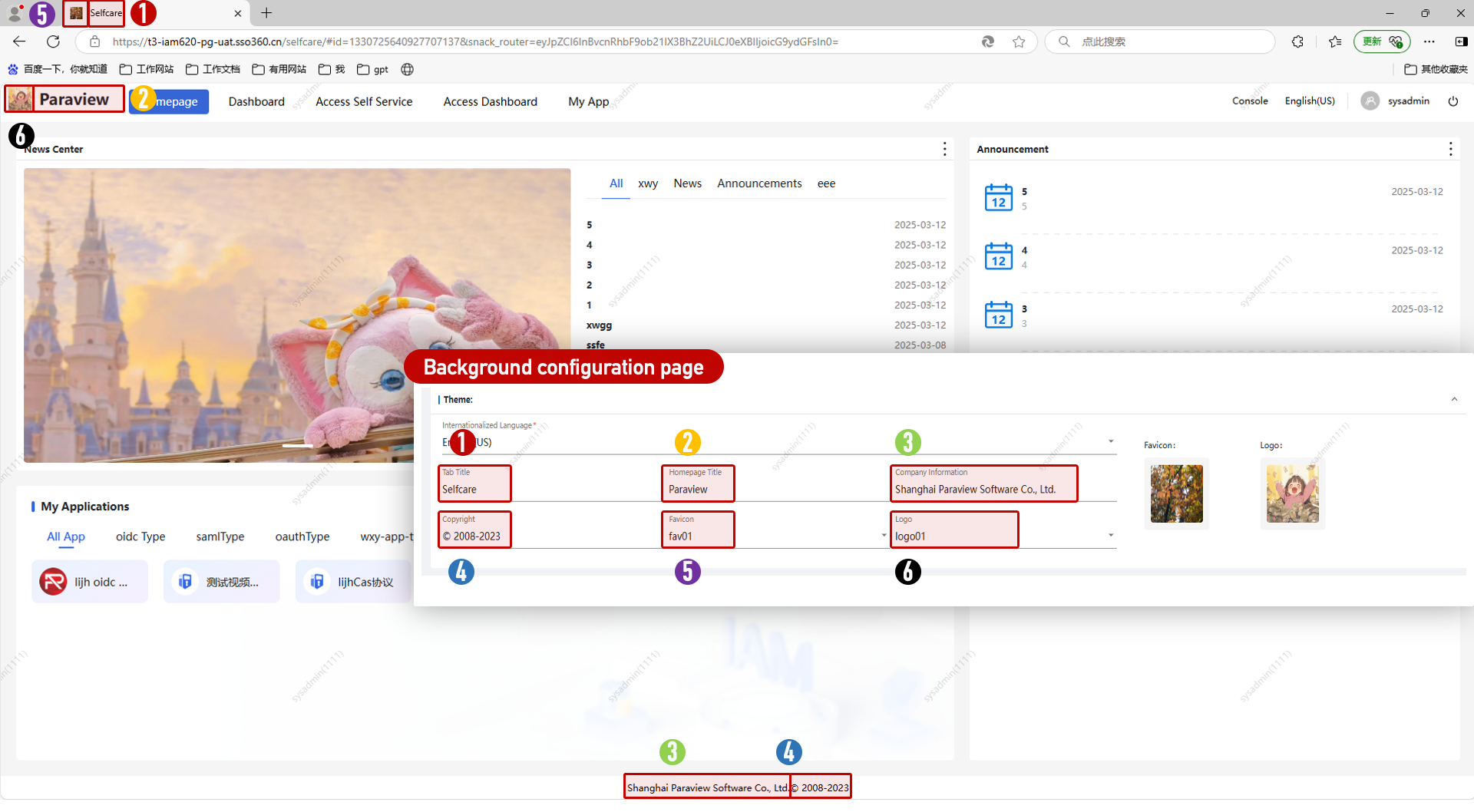
Admin Pages
Customize the theme for admin (console) interfaces.
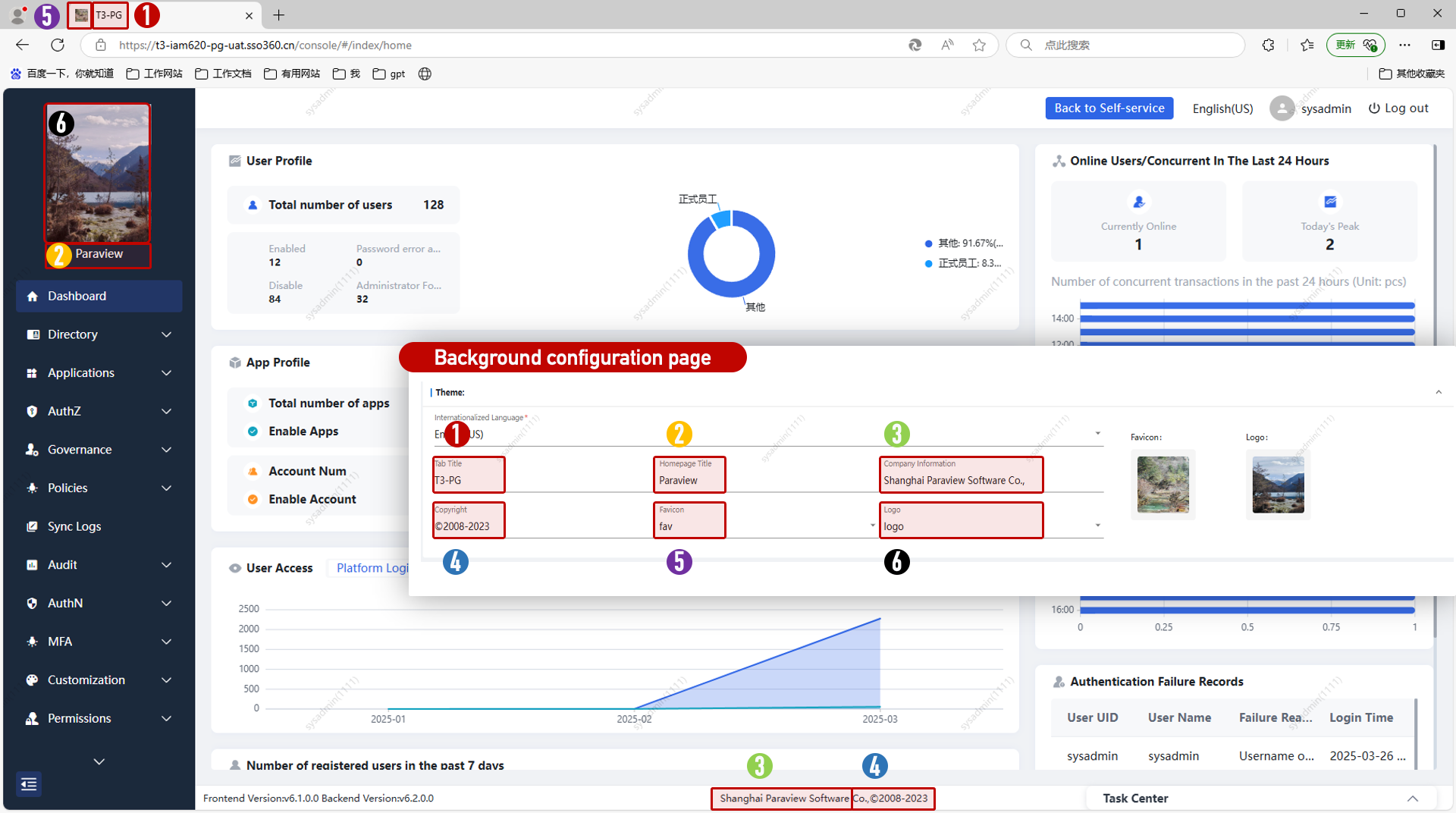
Watermark
Apply watermarks on the Selfcare (portal) or Console (admin portal) for designated user groups. Configure watermark content, style, display area, and applicable user scope.
Note: A default watermark is displayed in the list. It cannot be deleted, is disabled by default, and has the lowest priority.
Page Field Configuration
Configure field visibility, searchability, and order for list views across the platform. APIs correspond to specific modules (e.g., "User Management" refers to the Identity Management - User module). "Sequence number" controls the field order (left to right).
Dynamic Forms
Designed using the Snack form designer. This section allows you to configure default forms and extended fields for user types, accounts, application resources, roles, groups, personal information, and resource types.
Default Forms
| No. | Form Name | Description |
|---|---|---|
| 1 | Account Form | Used in Application Management > Accounts > Account Details |
| 2 | Organization Form | Used in Identity Management > Organization Editing |
| 3 | Position Form | Used in Identity Management > Position Editing |
| 4 | User Form | Used in Identity Management > User Editing |
| 5 | App Group Form | Used in Application Management > App Permissions > App Groups |
| 6 | App Resource Form | Used in Application Management > App Permissions > Resources |
| 7 | App Role Form | Used in Application Management > App Permissions > Roles |
| 8 | Personal Info Form | Used in Self-Service > Personal Info |
| 9 | User Extension Form | Used in Identity Management > User Extended Fields |
| 10 | Org Extension Form | Used in Identity Management > Org Extended Fields |
| 11 | Position Ext. Form | Used in Identity Management > Position Extended Fields |
Click Edit to enter the form designer. Example: editing the Account Form.
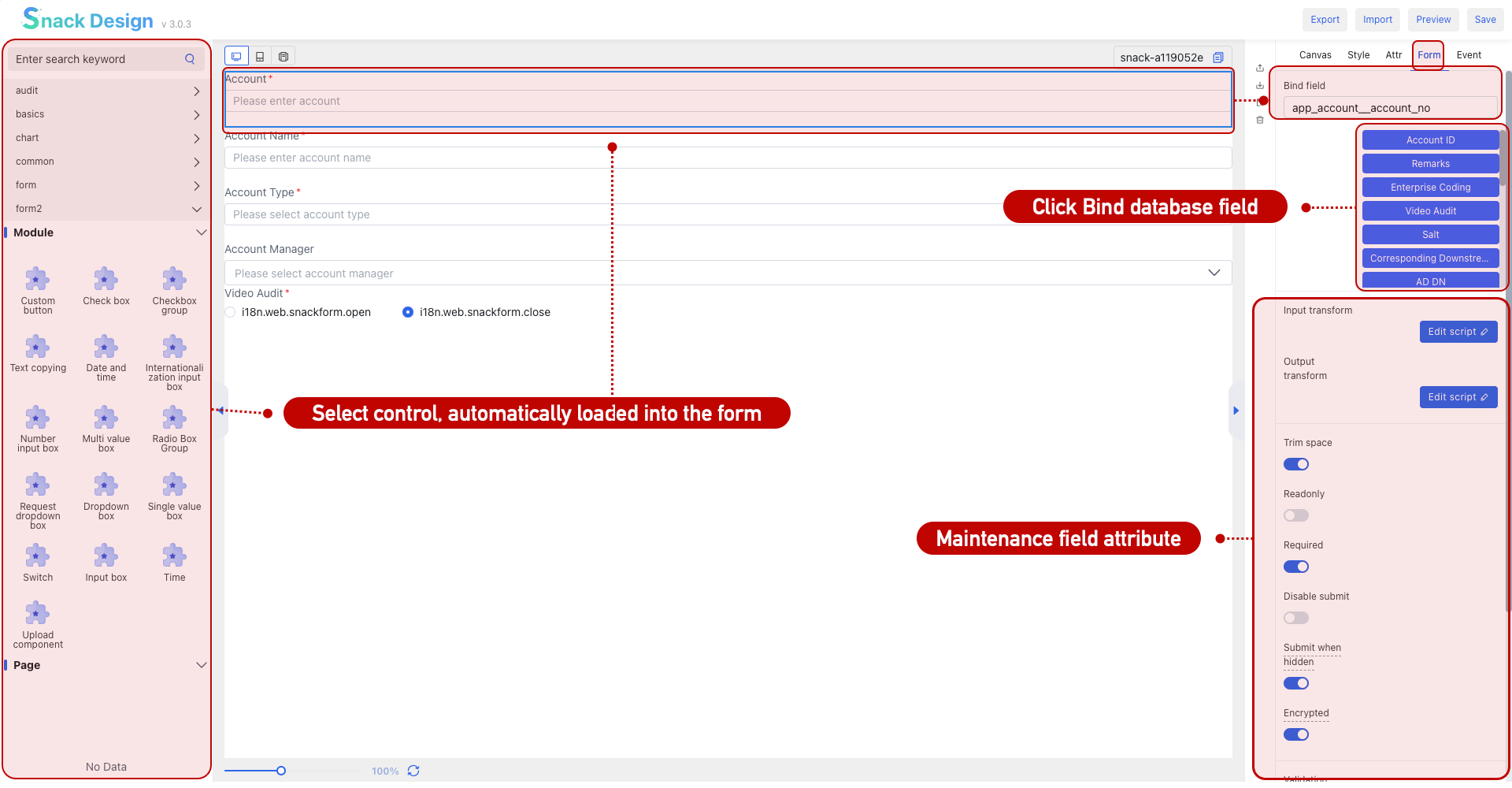
Form Designer
The Snack form designer manages all form templates across the platform. Do not delete or modify existing forms unless necessary.
Notification Channels
Configure third-party services for SMS, Email, WeChat, WeCom, and DingTalk. Once configured, they can be used in [Policy Management > Notification Rules].
SMS
The system includes plugins for Huawei, Baidu, NetEase, Tencent, and Alibaba Cloud SMS. Select a plugin and configure it directly. For unsupported services, custom plugin development is required.
Email
| No. | Field | Description |
|---|---|---|
| 1 | SMTP Server Address | e.g., smtp.163.com |
| 2 | Port | Usually fixed depending on provider |
| 3 | Sender Address | Displayed sender name |
| 4 | SSL | Enables encryption during transmission |
Internet Messaging
Built-in support for WeCom, WeChat Public Accounts, and DingTalk plugins. Select and configure as needed or develop new plugins.
Dynamic Pages
Configure page strategies based on different applications. Supports custom templates and themes, including login and registration pages. You can also create custom pages.
Global Variables
Used in the designer to define reusable variables.
Login Page
Designed using a low-code page designer.
| Item | Description |
|---|---|
| Page Management | Manage different login page templates |
| Template Mgmt | Save designs as reusable templates |
| Component Mgmt | Configure authentication components for login pages |
In Page Management, click New or Edit to enter the designer interface.
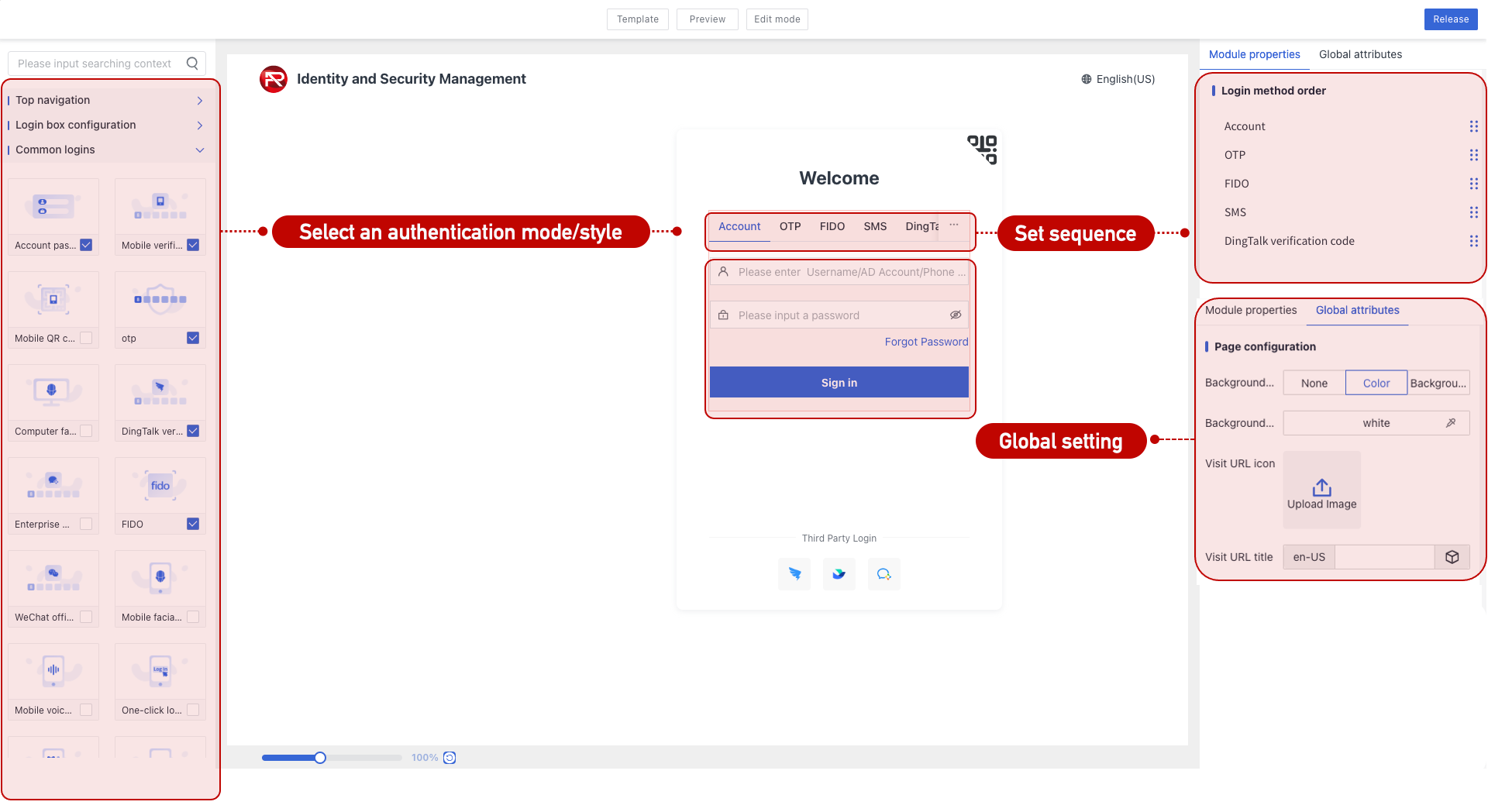
| Section | Description |
|---|---|
| Left Panel | Select components like login methods and UI elements |
| Canvas (Center) | Shows current page content |
| Right Panel | Configuration area for selected components |
| Global Settings | Apply settings platform-wide |
| Template Selection | Apply saved templates directly |
| Code Mode | Advanced editing for custom code |
| Preview | View a live preview of the current layout |
| Save | Save the layout and optionally as a template |
| Auth Methods Display | Based on enabled options in [Authentication Settings] |
Registration Page
Also designed using the Snack form designer. Similar to Dynamic Forms.
Two prerequisites must be met:
| No. | Requirement | Description |
|---|---|---|
| 1 | Login Template Setup | Login box must enable "Register User" and specify a valid registration page URL. |
| 2 | Platform Allows Registration | Enabled under [System Settings > Parameters > IDM]. |
Other Custom Pages
Users can create custom pages by specifying the URL path. These can be saved under specific categories and used in strategy/page/template assignments.